Vibrant Glucose Monitor & Pet Health Tracker
Maintain a perfect sweet balance for humans and pets. Easily track real-time glucose graphs, perform NFC scans (Freestyle Libre 2), monitor Apple Watch complications, and coordinate veterinary diagnostic data offline.
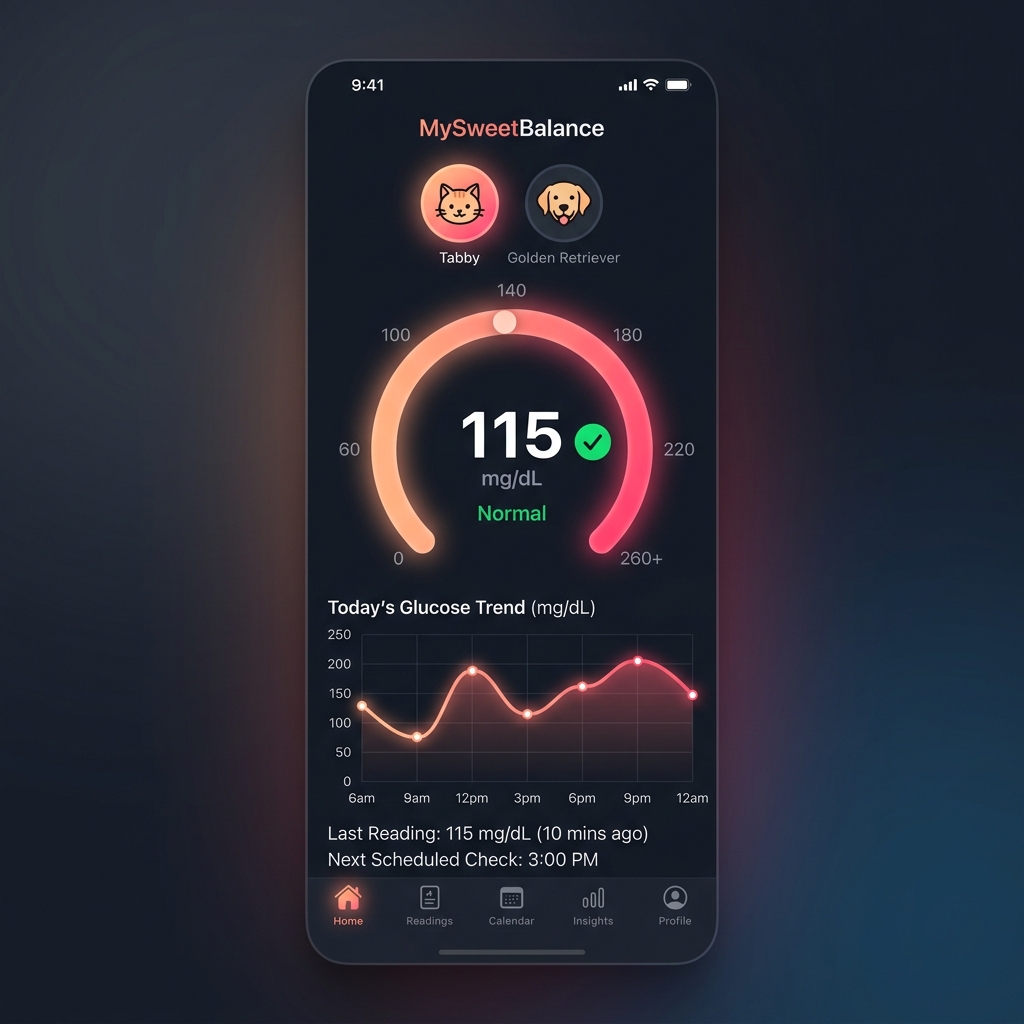
Premium iOS Dashboard
Track current glucose values, set target ranges, and switch between human and pet profiles (cats and dogs) using beautiful, tactile interfaces.
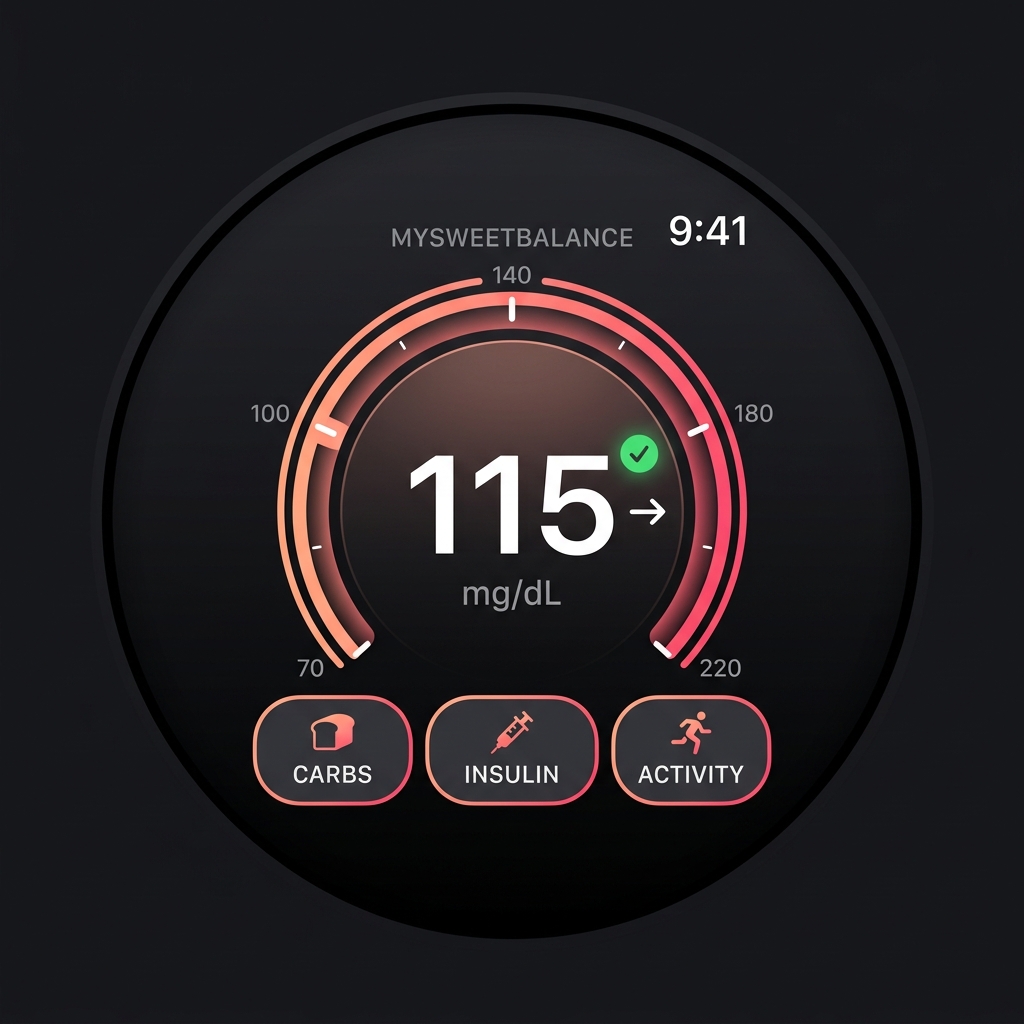
Apple Watch Extension
Glance at complications on your watch face and log carbohydrate consumption, insulin units (Bolus or Basal), and activity levels directly from your wrist.
NFC: CoreNFC session initialized. OK
Watch: WCSession active, reachable. Connected
NFC sensor scanned successfully.
[NFC Data] Found 96 historical measurements. Extracting...
[SwiftData] Syncing 14-day logs to local device memory. Completed.
Sending context update...
[WCSession] Sync payload: { glucose: 115, trend: "stable", age: "2m ago" }
[WatchOS] Gauge dial complication successfully updated on user watch face.
Continuous Monitoring & Pet Profiles
MySweetBalance works completely offline, keeping your health records private using Apple's native SwiftData framework. Switch to pet mode to recalibrate normal blood glucose boundaries for your dog or cat, allowing veterinarians to get clean telemetry curves in seconds.
Key Features
Built natively in Swift for optimal responsiveness. Experience zero latency when scanning sensors and immediate Apple Watch data transfers.
Glucose Sync & NFC Scan
-
Tactile NFC Scanning
Scan Freestyle Libre 2 and other compatible sensors on the go using CoreNFC. Instantly downloads multi-day historical data.
-
Vibrant Dashboard Curves
View daily curves, calculate standard deviations, check average glucose, and review Time-in-Range percentages.
Apple Watch Companion
-
Complications & Dial Gauges
View current sugar values, trend arrows, and reading ages directly on your watch face complications.
-
Tactile Wrist Logs
Record carbohydrates (grams), insulin doses (Bolus/Basal), and workouts right from the watch UI with haptic feedback.
Veterinary Medicine
-
Calibrated Pet Profiles
Separate profiles for feline and canine blood metrics. Custom boundaries adjust chart alerts for pet health ranges.
-
Clinician Exports
Generate clinical PDF and CSV diagnostic logs to email or message directly to your veterinary clinic.
Security & Technology
-
SwiftData Native Storage
Uses Apple's latest local database framework for rapid, offline, structured data preservation.
-
Zero Cloud Obligations
Absolute medical privacy. No signup required, no remote servers, and no trackers intercepting your data.
NFC Sensor Interface Setup
MySweetBalance integrates CoreNFC to scan glucose telemetry data. Scan your sensor in three quick steps.
1. Hold Your Device Ready
Prepare your sensor. Make sure the area around the sensor is clean and unobstructed. Press the Scan button in the application.
2. Align NFC Antennas
Hold the top edge of your iPhone (where the NFC antenna is located) flat against the sensor patch. Wait for a second.
3. Capture Logs
The app will play a success sound and trigger a haptic tick. Historical trends, standard deviations, and curves are immediately updated.
WatchOS Complications & Sync
Synchronize your active glucose values between your iPhone and Apple Watch seamlessly using native WatchConnectivity APIs.
1. Enable Watch Extension
Ensure the companion app is installed on your Apple Watch. Keep Bluetooth enabled on both devices to maintain the active WCSession.
2. Choose Watch Face Complications
Add MySweetBalance to your circular, modular, or graphic complications. It automatically formats value dial rings and trend indicators.
3. Log on the Wrist
Tap the watch face complication to open the companion. Directly record carbohydrates or insulin units, which sync instantly back to your phone.
Veterinary Feline & Canine Profiles
Diabetic pets (cats and dogs) require different target parameters. MySweetBalance allows custom animal profile calibrations.
1. Create a Pet Profile
Add your pet's details (Name, Species: Cat or Dog, Weight, Insulin Type). The app configures specific reference tables.
2. Calibrate NFC Scan Ranges
NFC readings from the animal sensor will map against specialized veterinary curves. Alert boundaries adapt to prevent false hypoglycemic alarms.
3. Share Diagnostic PDF Reports
Compile a structured clinical report containing multi-day glucose averages, peak curves, and insulin timing to share directly with your clinic.
Start Tracking Today
Join the MySweetBalance Apple TestFlight beta and experience professional, private glucose logging on iOS and watchOS.